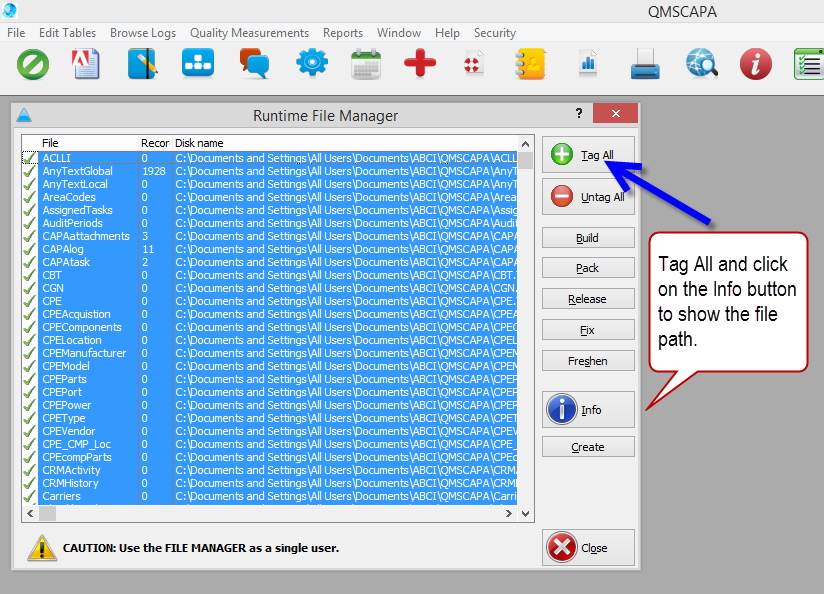
The File Manager Info button is a tool to inspect the current location and health or status of QMSCAPA files.
1)To use the Info button first click on the Tag All button. 2)With all files or selected files 'checked' click on the (i) Info button. 3)A file with a good status will be shown at the end of the file path. 4)A file with another status will be display with an error message.
 |
Online Internal Auditor Training Course ISO Management Systems  +1 800 644 2056
|