Menu Option for Accessing Nonconformance Tables and the Correction Actions Table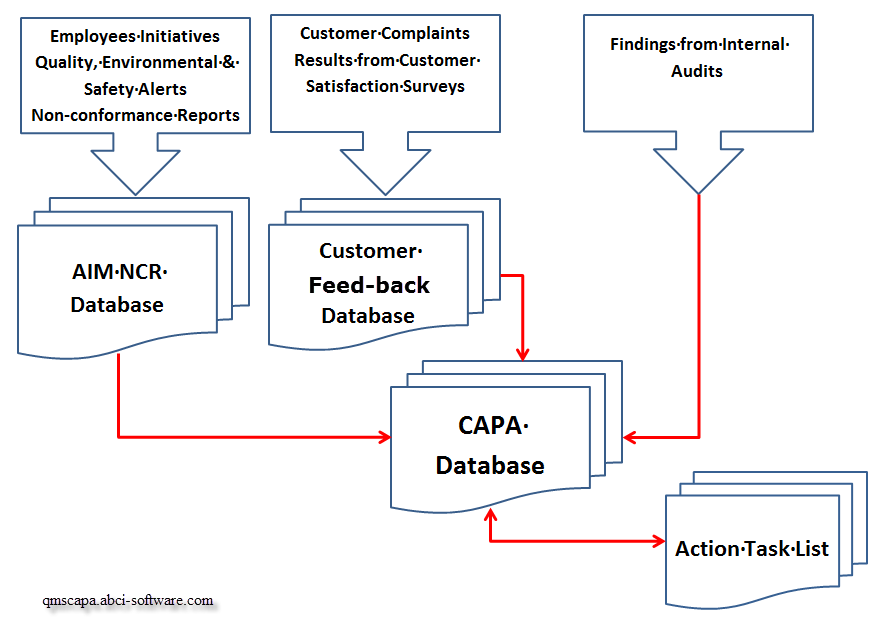 Nonconformance and Corrective Actions have separate navigation paths. Information collected in the Nonconformance module and table may be copied (or flow) into the Correction Actions module. Nonconformance and Corrective Actions have separate navigation paths. Information collected in the Nonconformance module and table may be copied (or flow) into the Correction Actions module.
Also, if necessary, Corrective Action information may flow from the Corrective Action table into the Nonconformance module and table.
In addition, information collected in the Customer Feed-back module and table (aka Customer Complaint log) may flow into the Correction Action table. Browse Tables for Nonconformance and the Correction Actions TableThe exclamation triangle is used to identify access to the Nonconformance module and table. 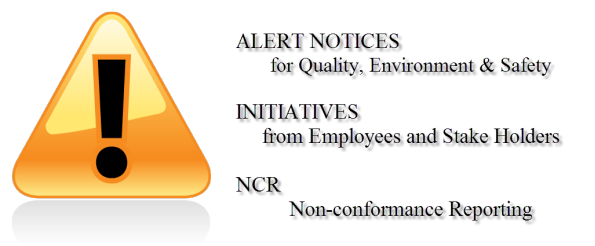 QMSCAPA provides a method for alert messages, initiatives from employees and Non-conformance Reports (NCRs).
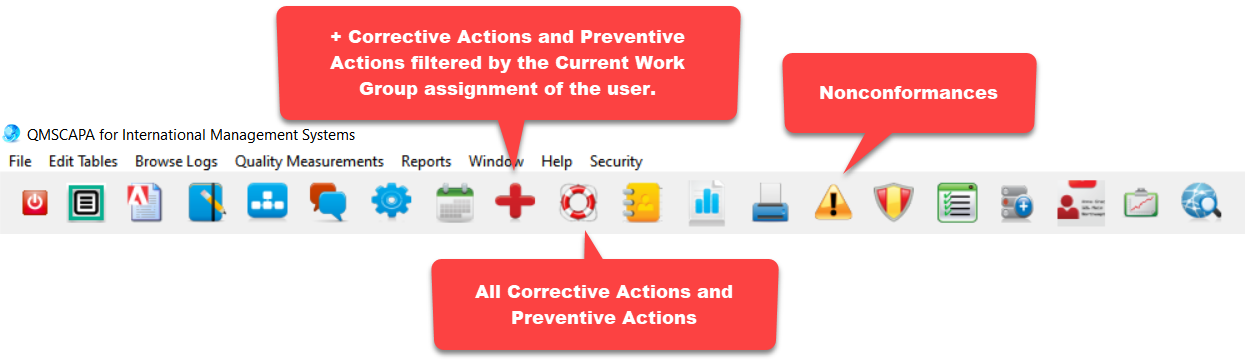 QMSCAPA Icon Menu Bar
Corrective Actions and Preventive Actions may be accessed through the Browse Logs text menu on directly from the Icon Menu Bar.
|
☑ AS9100 D Implementation & Templates Kit
☑ ISO 9001:2015 Implementation & Templates Kit
Online Internal Auditor Training Course ISO Management Systems +1 800 644 2056
|