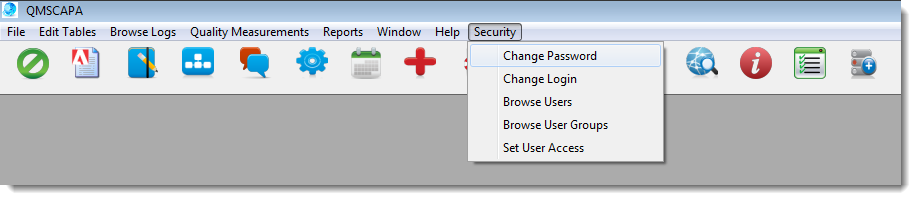
 A QMSCAPA Quality Management System user may change their password at anytime.
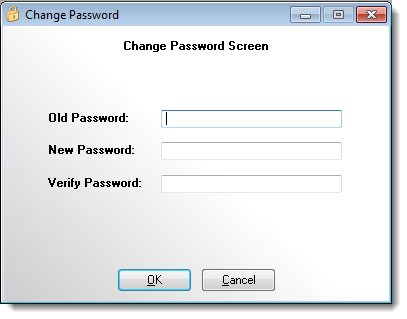
1) From the main menu select the Security option. 2) Select the Change Password option. 3) In the Change Password Screen enter the Old Password (or current password). 4) Enter your new password in the New Password field and again in the Verify Password field.
 |