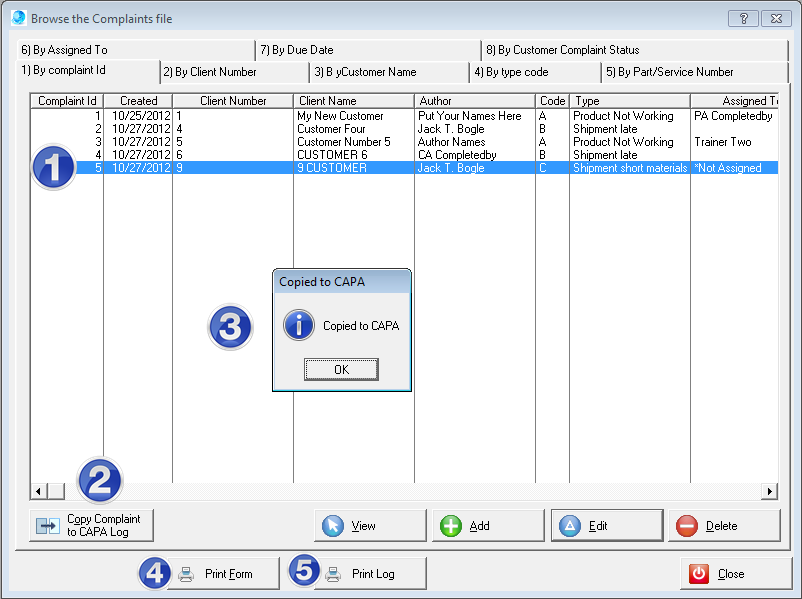
1)To copy a customer complaint to the CAPA log highlight the record to be copied. 2)Select the Copy Complaint to CAPA button. 3)When the copy has completed the confirmation window will appear. Click the OK button to close the window. 4)Use the Print form button to print the default complaint form. 5)Use the Print log button to print the default complaint log report.
 |
Online Internal Auditor Training Course ISO Management Systems  +1 800 644 2056
|